1. Go to Timetable (top navigation)
2. Select the timetable name (left hand menu)
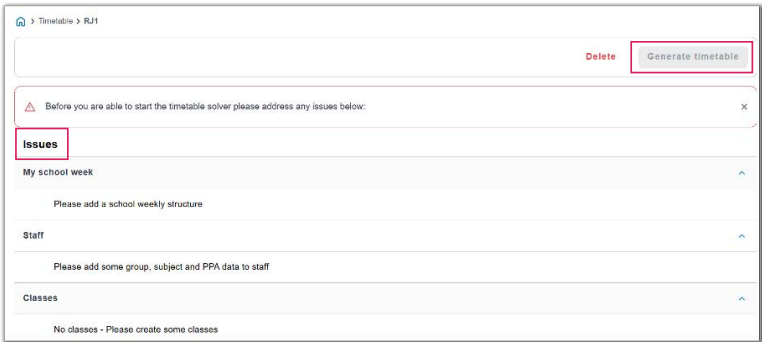
3. Click Generate timetable
̵ If generation fails, you’ll see clear error messages explaining why
̵ Fix the highlighted setup, then Generate timetable again
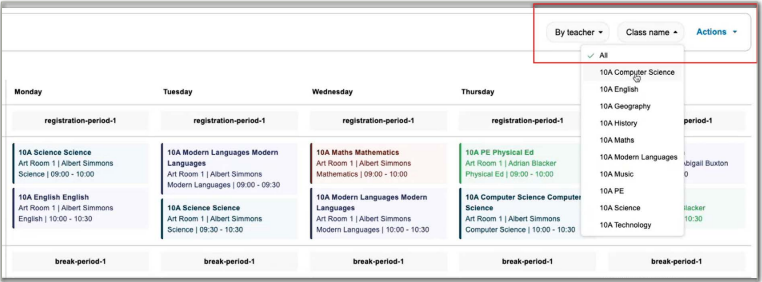
After generation
• The timetable displays with filters by Group and Teacher at the top
• Review layout, teacher loads and room usage
Was this article helpful?
That’s Great!
Thank you for your feedback
Sorry! We couldn't be helpful
Thank you for your feedback
Feedback sent
We appreciate your effort and will try to fix the article